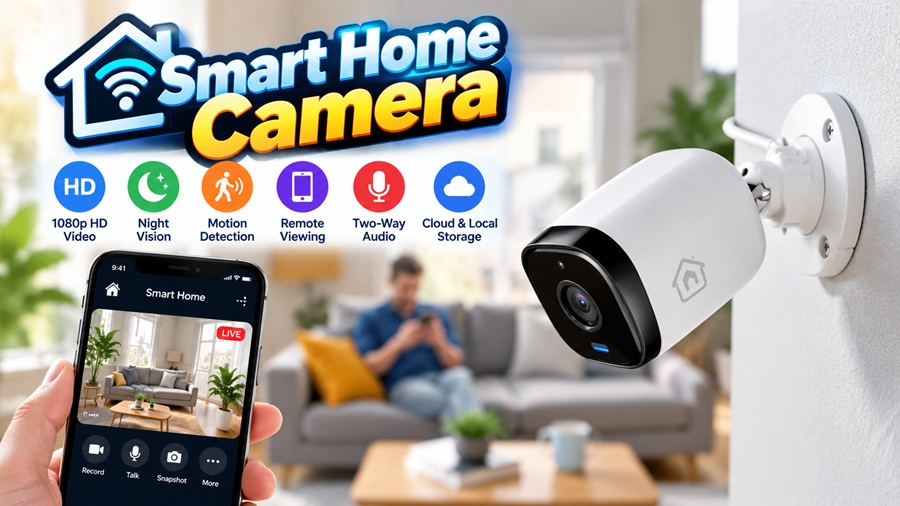
A smart home camera is an internet-connected security camera you can view and control from your phone, offering live video, motion alerts, night vision, two-way audio, and recorded footage stored either in the cloud or locally. In short, it lets you see and talk to what is happening at your home from anywhere, and get an alert the moment something moves. The main types are indoor, outdoor, and video doorbell cameras available wired, wireless, or battery-powered and the right one depends on where you need coverage, how you will power it, and whether you prefer cloud or local storage.
Where a traditional security camera just recorded to a box in a closet, a smart camera puts a live, searchable view of your home in your pocket. You get pinged when a package arrives or someone approaches the door, you can check in on pets or an empty house, and you can speak through the camera to a visitor or a would-be intruder. That blend of awareness and control is a big part of why cameras are one of the most popular smart home upgrades.
| Attribute | Detail |
| What it is | A Wi-Fi security camera viewed from your phone |
| Key features | Live video, motion alerts, night vision, 2-way audio |
| Main types | Indoor, outdoor, and video doorbell |
| Power options | Wired, wireless, or battery |
| Storage | Cloud (subscription) or local (SD/hub) |
| Main benefit | See, hear, and respond to your home anywhere |
| Watch for | Privacy, placement, and securing the camera |
What is a smart home camera, and how does it work?
A smart camera pairs an ordinary video camera with a wireless connection and an app. It streams live footage to your phone, records clips when it detects motion, and sends alerts so you know the moment something happens rather than discovering it later. Most connect over your home Wi-Fi, store footage in the cloud or on a local card, and tie into a wider smart home so they can trigger lights or work with a voice assistant.
The leap from old-style CCTV is really about intelligence and access. Instead of hours of footage nobody ever watches, a smart camera tells you when something worth seeing occurred, lets you look instantly from anywhere, and increasingly uses on-device smarts to tell a person from a passing car.
Types of smart home cameras
| Type | Best for |
| Indoor | Monitoring rooms, pets, kids, and interiors |
| Outdoor | Yards, driveways, and entry points (weatherproof) |
| Video doorbell | Seeing and speaking to visitors at the door |
| Floodlight camera | Bright deterrence over large outdoor areas |
| Pan-tilt-zoom (PTZ) | Covering a wide area with one moving camera |
Key features to look for
| Feature | Why it matters |
| Resolution (1080p/2K/4K) | Clearer, more useful footage and detail |
| Night vision | Seeing clearly after dark |
| Motion detection | Alerts only when something actually happens |
| AI person/package detection | Fewer false alerts and smarter notifications |
| Two-way audio | Hear and speak through the camera |
| Field of view | How much area a single camera covers |
| Weatherproof rating | Essential for any outdoor camera |
Wired, wireless, or battery?
How a camera is powered shapes where you can put it and how reliably it records.
| Power type | Pros | Cons |
| Wired (PoE/plug) | Reliable, constant power, continuous recording | Harder install; needs wiring |
| Wireless (Wi-Fi + plug) | Easier placement, no data cable | Still needs a nearby power source |
| Battery | Place it almost anywhere, no wires | Needs recharging; may miss quick events |
Cloud vs local storage
Where the footage lives is one of the most important and most overlooked decisions, because it affects both your ongoing cost and how secure the recordings actually are. Plenty of buyers are surprised to learn that the useful features of a cheap camera, like saved clips and longer history, often sit behind a monthly cloud subscription.
| Storage | Pros | Cons |
| Cloud | Off-site, accessible anywhere, safe if camera is stolen | Usually a subscription cost |
| Local (SD/hub) | No subscription; you own the footage | Lost if the device is stolen or damaged |
Where to place your cameras
- The front door and main entry points first
- Back and side doors, and any gates
- The driveway and garage
- Ground-floor and other accessible windows
- Main interior areas, if desired never private rooms
- Mounted high and angled, out of easy reach, covering the approach
Do smart cameras actually deter crime?
A visible camera is a genuine deterrent, and that is a large part of their value. Many opportunistic intruders will simply avoid a home that is obviously being watched, moving on to an easier target instead. The combination of a camera, a video doorbell, and motion-activated lighting sends a clear signal that a property is monitored and that any attempt will be recorded. Cameras cannot physically stop someone, but as a first line of discouragement and as a source of evidence if something does happen anyway they earn their place in most home-security setups.
The benefits
- See and hear your home live from anywhere
- Instant alerts when motion or a person is detected
- A strong visible deterrent to would-be intruders
- Two-way audio to speak to visitors or scare off trespassers
- Recorded evidence if something does happen
- Peace of mind when traveling, at work, or asleep
Privacy and security considerations
A camera watches your home, so it deserves real care both to keep it from being hacked and to respect the privacy of others. Because a poorly secured camera can be accessed by outsiders, always set a strong, unique password, turn on two-factor authentication, keep the firmware updated, and buy from a reputable brand that supports its products. Just as important is where you point it: aim outdoor cameras at your own property and entry points, not at a neighbor’s windows or private spaces, since filming others can raise genuine legal and neighborly problems. Be thoughtful with indoor cameras and your household’s own privacy too, and check local rules recording, especially of audio, is regulated in many places.
Cameras as part of a wider system
A camera is most powerful when it does not work alone. Tied into a broader smart home, it can trigger floodlights the moment it detects motion, work alongside a video doorbell and a smart lock at the entrance, and feed its view to a hub or control panel and your voice assistant. Linking these together turns a scattering of separate gadgets into a coordinated security layer motion detected, lights on, clip recorded, alert sent, all in one smooth sequence. For many people it is that integration, rather than any single camera, that makes the whole setup genuinely useful.
How to choose a smart home camera
- Decide where you need coverage indoors, outdoors, or the door
- Match the power type to each spot: wired, wireless, or battery
- Choose cloud or local storage based on cost and preference
- Prioritize person detection to cut down on false alerts
- Check resolution, night vision, and field of view
- Make sure it works with your existing smart home ecosystem
Installation
Most smart cameras are designed for straightforward DIY setup. Battery and plug-in Wi-Fi models often need little more than mounting, connecting to the app, and joining your network, while a video doorbell may involve wiring into existing doorbell wires. Fully wired or power-over-ethernet systems are more involved and sometimes worth a professional, especially for multiple cameras or runs through walls. Wherever you mount them, aim for a solid surface, a good angle over the area you want to watch, and a strong enough Wi-Fi signal to stream reliably.
Common mistakes to avoid
| Mistake | Better approach |
| Weak or default passwords | Use a strong password and two-factor login |
| Pointing cameras at neighbors | Cover your own property and entry points |
| Mounting within easy reach | Place cameras high and out of reach |
| Ignoring Wi-Fi signal strength | Confirm a strong signal where they’ll stream |
| Overlooking storage costs | Factor in any cloud subscription up front |
Frequently asked questions
Do smart home cameras need Wi-Fi? Most do, to stream live video and send alerts to your phone. Some can record locally without the internet, but remote viewing and notifications rely on a connection.
Is cloud or local storage better? Cloud keeps footage safe off-site and accessible anywhere but usually costs a subscription; local storage avoids fees but can be lost if the camera is stolen or damaged.
Are smart cameras secure from hacking? They can be, with a strong unique password, two-factor authentication, regular firmware updates, and a reputable brand. Treat them like any sensitive networked device.
Where should I put security cameras? Cover the main entry points first front, back, and side doors, the driveway, and accessible windows mounted high and angled over the approach.
Final thoughts
A smart home camera turns home security from something you hope is fine into something you can actually see, from anywhere, in real time. Start by deciding where you need eyes the door, the perimeter, key interior spaces then match each spot to the right type, power source, and storage. Prioritize person detection to tame the false alerts, mount cameras high and over the approach, and take the privacy and security basics seriously: strong passwords, updates, and respectful placement. Get those right, and a camera or two quietly delivers one of the most reassuring upgrades a smart home can offer.